GameWinExch Forgot Password: Complete Guide to Reset, Security Tips, and FAQ
Introduction
For avid gamers, a seamless login experience is essential. However, forgetting a password can happen to anyone, especially on platforms that manage multiple gaming IDs and betting accounts. GameWinExch, a popular exchange hub for a variety of games, provides a dedicated “Forgot Password” feature designed to protect user data while offering a straightforward recovery path. This article walks you through the entire process, from initiating a reset request to finalizing a new secure password, and offers practical advice to prevent future lockouts.
How the Forgot Password Feature Works
When a user clicks the “Forgot Password” link on the GameWinExch login page, the system triggers a series of automated checks. First, it validates the entered email address or registered mobile number against the database. If a match is found, the platform generates a one‑time reset token that is sent via email or SMS. This token is time‑limited, typically expiring within 15‑30 minutes, to reduce the risk of unauthorized access. Upon receiving the token, the user follows the embedded link, which leads to a secure password reset page where a new password can be created.
Why a Token‑Based System?
The token mechanism adds a layer of security beyond simple password reminders. Because the token is unique, expires quickly, and is tied to a specific user’s contact method, it mitigates the chances of phishing or brute‑force attacks. GameWinExch also logs each password reset attempt, enabling administrators to flag suspicious activity for further review.
Step‑by‑Step Guide to Resetting Your Password
1. Initiate the Reset Request
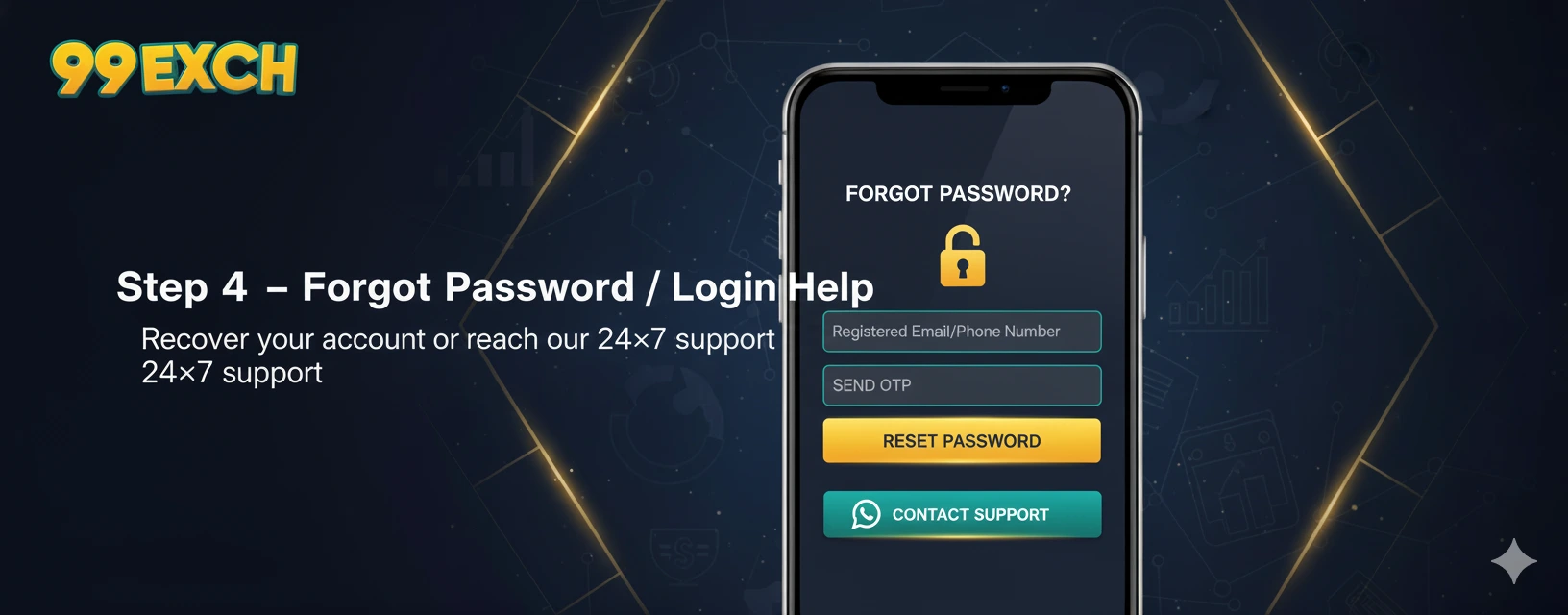
Navigate to the GameWinExch login page and click the “Forgot Password?” link. Enter the email address or phone number associated with your account, then submit the form. A confirmation message will appear, indicating that a reset link has been dispatched.
2. Retrieve the Reset Token
Check the inbox of the email address you provided, or open the SMS inbox on your mobile device. The message will contain a short URL (e.g., https://gamewinexch.in/reset/abc123) and may include a numeric code for manual entry. If you do not receive the email or SMS within a few minutes, verify that your spam folder is clear and that the phone number is correctly entered.
3. Verify Your Identity
Click the provided link or enter the numeric code on the reset page. For added security, the platform may ask you to answer a previously set security question or confirm a recent transaction ID. This step ensures that even if a token falls into the wrong hands, the legitimate owner can still verify identity.
4. Set a New Password
When prompted, create a password that meets the following criteria:
- Minimum 12 characters
- At least one uppercase letter, one lowercase letter, one numeral, and one special character
- No dictionary words or easily guessable patterns (e.g., “123456” or “password”)
After entering the new password twice for confirmation, click “Save.” The system will instantly update your credentials and log you in, or you may be redirected to the standard login page.
5. Confirm the Change
For security awareness, GameWinExch sends a confirmation email or SMS notifying you that your password has been changed. If you did not initiate this change, use the provided link to revert the password and contact support immediately.
Common Issues and How to Resolve Them
Even with an automated system, users sometimes encounter hurdles. Below are frequent problems and practical solutions.
Reset Email Not Received
Check the spam or promotional folders. Ensure that your email provider has not blocked the domain gamewinexch.in. Adding the sender to your contacts can improve deliverability. If the issue persists, retry the reset request after 10 minutes, as the system may be throttling requests to prevent abuse.
Expired Token
Tokens are intentionally short‑lived. If you miss the expiration window, simply request a new reset link. Constantly receiving expired token messages might indicate a clock mismatch on your device; synchronizing your device’s time with an internet time server can fix the problem.
Incorrect Email or Phone Number
When you cannot locate the reset message, double‑check the credentials you entered. If you have multiple email addresses or phone numbers, try each one. GameWinExch allows you to associate more than one contact method, so you may have registered a secondary email for account recovery.
Security Best Practices After a Password Reset
Resetting a password is an opportunity to strengthen overall account security. Consider the following recommendations:
- Enable Two‑Factor Authentication (2FA): GameWinExch supports authenticator apps and SMS‑based 2FA, adding a second verification step during login.
- Review Account Activity: After resetting, navigate to the “Recent Activity” section to confirm that only you have accessed the account.
- Update Saved Passwords: If you use a password manager, be sure to replace the old entry with the new credentials.
- Use Unique Passwords Across Sites: Never reuse a GameWinExch password on other platforms; a breach elsewhere could compromise your gaming account.
Managing Multiple GameWinExch Accounts
Many users juggle several IDs for different games or betting markets. It is essential to keep each account’s login information organized to avoid confusion during a password reset. Below are examples of typical account identifiers that players might encounter:
Each identifier is linked to its own login credentials. When resetting a password, verify that you are using the email or phone number associated with the specific ID. Maintaining a spreadsheet or password‑manager entry with these details can save valuable time.
When to Contact GameWinExch Support
If you have exhausted all self‑service options and still cannot regain access, reach out to the support team. Provide the following information to expedite the process:
- Full name and registered email address or phone number
- Exact ID you are trying to access (e.g., “khiladi99x”)
- Details of recent activity (such as the last login date or a recent transaction amount)
- Proof of identity, if requested (government‑issued ID or a screenshot of the account dashboard)
Support typically responds within 2‑4 hours for verified accounts. In urgent cases, such as pending withdrawals, they may prioritize the request.
Frequently Asked Questions
Can I reuse an old password after resetting?
GameWinExch enforces a password history rule that prevents you from reusing any of your last five passwords. This measure reduces the risk of compromised credentials resurfacing.
Is there a limit to how many times I can request a reset?
To protect against automated attacks, the platform caps reset requests to five per 24‑hour period per account. Excessive attempts will trigger a temporary block, after which you can try again.
Do I need to clear my browser cache after resetting?
Clearing cache is not required, but if you encounter a “session expired” error after following the reset link, a quick cache clear or opening the link in an incognito window can resolve the issue.
Conclusion
For GameWinExch users, the “Forgot Password” workflow is designed to balance convenience with stringent security. By following the step‑by‑step guide, understanding the common pitfalls, and implementing best‑practice safeguards such as two‑factor authentication, players can quickly regain access without compromising their accounts. Remember to keep each of your game IDs—whether it’s an online cricket id or any of the other specialized identifiers—well documented and protected. A proactive approach to password management not only prevents lockouts but also enhances overall account safety, allowing you to focus on what matters most: enjoying the games.